---
title: "Transforming Business with Microsoft Dynamics CRM: Comprehensive Guide"
description: Discover how Microsoft Dynamics 365 transforms customer relationship management with AI, automation, seamless integration for enhanced business efficiency
image: https://www.findernest.com/hubfs/Transforming%20Business%20with%20Microsoft%20Dynamics%20CRM%20FindErnest%20Comprehensive%20Guide.png
---
[Skip to main content](https://www.findernest.com/en/blog/transforming-business-with-microsoft-dynamics-crm-comprehensive-guide#main-content)
[ ](https://www.findernest.com)
- [Show submenu for Solutions Solutions](https://www.findernest.com/services)
- [Show submenu for Digital Transformation Digital Transformation](https://www.findernest.com/digital-transformation-solutions)
- [AI & Intelligent Automation](https://www.findernest.com/ai)
- [Cloud Transformation](https://www.findernest.com/cloud)
- [Data & Analytics](https://www.findernest.com/data)
- [Enterprise Digital Transformation](https://www.findernest.com/software-engineering)
- [Customer Experience Transformation](https://www.findernest.com/ui-ux)
- [Cybersecurity & Identity Solutions](https://www.findernest.com/cybersecurity)
- [Show submenu for Product/Platform Engineering Product/Platform Engineering](https://www.findernest.com/product-development-platform-engineering-services)
- [Platform Engineering](https://www.findernest.com/software-engineering)
- [Product Development](https://www.findernest.com/software-engineering)
- [Cloud-Native Applications](https://www.findernest.com/cloud)
- [DevOps & DevSecOps](https://www.findernest.com/devops)
- [ERP & Enterprise Applications](https://www.findernest.com/product-development-platform-engineering-services)
- [Observability & Reliability](https://www.findernest.com/observability-reliability-services)
- [Show submenu for Managed IT Solutions Managed IT Solutions](https://www.findernest.com/managed-it-services-support)
- [IT Support](https://www.findernest.com/managed-it-services-support)
- [Cybersecurity](https://www.findernest.com/cybersecurity)
- [Cloud Infrastructure](https://www.findernest.com/cloud)
- [Disaster Recovery](https://www.findernest.com/devops)
- [Network & Server Management](https://www.findernest.com/managed-it-services-support)
- [Show submenu for Talent Solutions Talent Solutions](https://www.findernest.com/talent-solutions)
- [Contingent Workforce](https://www.findernest.com/talent-solutions)
- [Dedicated Team](https://www.findernest.com/talent-solutions)
- [Staffing Services](https://www.findernest.com/talent-solutions)
- [Recruitment Process Outsourcing](https://www.findernest.com/talent-solutions)
- [Show submenu for Platforms Platforms](https://www.findernest.com/platforms)
- [AWS](https://www.findernest.com/aws)
- [SAP](https://www.findernest.com/sap)
- [Oracle](https://www.findernest.com/oracle)
- [Microsoft](https://www.findernest.com/microsoft)
- Google Cloud
- [Zoho](https://www.findernest.com/zoho)
- [Databricks](https://www.findernest.com/databricks)
- [Servicenow](https://www.findernest.com/servicenow)
- [Outsystems](https://www.findernest.com/outsystems)
- [Hubspot](https://www.findernest.com/hubspot)
- [Salesforce](https://www.findernest.com/salesforce)
- [Show submenu for Industries Industries](https://www.findernest.com/industry)
- [Show submenu for Technology & Internet Technology & Internet](https://www.findernest.com/industry)
- [Ecommerce](https://www.findernest.com/industry)
- [HealthTech](https://www.findernest.com/industry)
- [FinTech](https://www.findernest.com/industry)
- [Edutech](https://www.findernest.com/industry)
- [High Tech](https://www.findernest.com/industry)
- [Show submenu for Healthcare & Life Sciences Healthcare & Life Sciences](https://www.findernest.com/industry)
- [Healthcare](https://www.findernest.com/industry)
- [Life Sciences](https://www.findernest.com/industry)
- [Pharmaceuticals](https://www.findernest.com/industry)
- [Medical Devices](https://www.findernest.com/industry)
- [Biotechnology](https://www.findernest.com/industry)
- [Show submenu for BFSI BFSI](https://www.findernest.com/industry)
- [Banking](https://www.findernest.com/industry)
- [Insurance](https://www.findernest.com/industry)
- [Financial Services](https://www.findernest.com/industry)
- [Show submenu for TME TME](https://www.findernest.com/industry)
- [Telecom](https://www.findernest.com/industry)
- [Gaming](https://www.findernest.com/industry)
- [Entertainment](https://www.findernest.com/industry)
- [OTT (Over-The-Top)](https://www.findernest.com/industry)
- [Media](https://www.findernest.com/industry)
- [Show submenu for Engineering & Construction Engineering & Construction](https://www.findernest.com/industry)
- [Engineering](https://www.findernest.com/industry)
- [Transportation](https://www.findernest.com/industry)
- [Infrastructure](https://www.findernest.com/industry)
- [Commercial/ Residential](https://www.findernest.com/industry)
- [Show submenu for Supply Chain Supply Chain](https://www.findernest.com/industry)
- [Manufacturing](https://www.findernest.com/industry)
- [FMCG](https://www.findernest.com/industry)
- [Automotive](https://www.findernest.com/industry)
- [Show submenu for Energy & Utilities Energy & Utilities](https://www.findernest.com/industry)
- [Oil & Gas](https://www.findernest.com/industry)
- [Environment](https://www.findernest.com/industry)
- [Energy](https://www.findernest.com/industry)
- [Utilities](https://www.findernest.com/industry)
- [Govt & Public Sector](https://www.findernest.com/industry)
- [Careers](https://findernest.zohorecruit.in/jobs/Careers)
- [Show submenu for About Us About Us](https://www.findernest.com/about)
- [Who we Are](https://www.findernest.com/about)
- [How We Work](https://www.findernest.com/how-we-work)
- [Blogs & Insights](https://www.findernest.com/en/blog)
- [Sustainability](https://www.findernest.com/sustainability)
- [Privacy Policy](https://www.findernest.com/privacy)
- [Community Guidelines](https://www.findernest.com/policy)
- [Terms & Conditions](https://www.findernest.com/terms)
Open main navigation
Close main navigation
- Show submenu for Solutions Solutions
- Solutions
- [Solutions](https://www.findernest.com/services)
- Show submenu for Digital Transformation Digital Transformation
- Digital Transformation
- [Digital Transformation](https://www.findernest.com/digital-transformation-solutions)
- [AI & Intelligent Automation](https://www.findernest.com/ai)
- [Cloud Transformation](https://www.findernest.com/cloud)
- [Data & Analytics](https://www.findernest.com/data)
- [Enterprise Digital Transformation](https://www.findernest.com/software-engineering)
- [Customer Experience Transformation](https://www.findernest.com/ui-ux)
- [Cybersecurity & Identity Solutions](https://www.findernest.com/cybersecurity)
- Show submenu for Product/Platform Engineering Product/Platform Engineering
- Product/Platform Engineering
- [Product/Platform Engineering](https://www.findernest.com/product-development-platform-engineering-services)
- [Platform Engineering](https://www.findernest.com/software-engineering)
- [Product Development](https://www.findernest.com/software-engineering)
- [Cloud-Native Applications](https://www.findernest.com/cloud)
- [DevOps & DevSecOps](https://www.findernest.com/devops)
- [ERP & Enterprise Applications](https://www.findernest.com/product-development-platform-engineering-services)
- [Observability & Reliability](https://www.findernest.com/observability-reliability-services)
- Show submenu for Managed IT Solutions Managed IT Solutions
- Managed IT Solutions
- [Managed IT Solutions](https://www.findernest.com/managed-it-services-support)
- [IT Support](https://www.findernest.com/managed-it-services-support)
- [Cybersecurity](https://www.findernest.com/cybersecurity)
- [Cloud Infrastructure](https://www.findernest.com/cloud)
- [Disaster Recovery](https://www.findernest.com/devops)
- [Network & Server Management](https://www.findernest.com/managed-it-services-support)
- Show submenu for Talent Solutions Talent Solutions
- Talent Solutions
- [Talent Solutions](https://www.findernest.com/talent-solutions)
- [Contingent Workforce](https://www.findernest.com/talent-solutions)
- [Dedicated Team](https://www.findernest.com/talent-solutions)
- [Staffing Services](https://www.findernest.com/talent-solutions)
- [Recruitment Process Outsourcing](https://www.findernest.com/talent-solutions)
- Show submenu for Platforms Platforms
- Platforms
- [Platforms](https://www.findernest.com/platforms)
- [AWS](https://www.findernest.com/aws)
- [SAP](https://www.findernest.com/sap)
- [Oracle](https://www.findernest.com/oracle)
- [Microsoft](https://www.findernest.com/microsoft)
- Google Cloud
- [Zoho](https://www.findernest.com/zoho)
- [Databricks](https://www.findernest.com/databricks)
- [Servicenow](https://www.findernest.com/servicenow)
- [Outsystems](https://www.findernest.com/outsystems)
- [Hubspot](https://www.findernest.com/hubspot)
- [Salesforce](https://www.findernest.com/salesforce)
- Show submenu for Industries Industries
- Industries
- [Industries](https://www.findernest.com/industry)
- Show submenu for Technology & Internet Technology & Internet
- Technology & Internet
- [Technology & Internet](https://www.findernest.com/industry)
- [Ecommerce](https://www.findernest.com/industry)
- [HealthTech](https://www.findernest.com/industry)
- [FinTech](https://www.findernest.com/industry)
- [Edutech](https://www.findernest.com/industry)
- [High Tech](https://www.findernest.com/industry)
- Show submenu for Healthcare & Life Sciences Healthcare & Life Sciences
- Healthcare & Life Sciences
- [Healthcare & Life Sciences](https://www.findernest.com/industry)
- [Healthcare](https://www.findernest.com/industry)
- [Life Sciences](https://www.findernest.com/industry)
- [Pharmaceuticals](https://www.findernest.com/industry)
- [Medical Devices](https://www.findernest.com/industry)
- [Biotechnology](https://www.findernest.com/industry)
- Show submenu for BFSI BFSI
- BFSI
- [BFSI](https://www.findernest.com/industry)
- [Banking](https://www.findernest.com/industry)
- [Insurance](https://www.findernest.com/industry)
- [Financial Services](https://www.findernest.com/industry)
- Show submenu for TME TME
- TME
- [TME](https://www.findernest.com/industry)
- [Telecom](https://www.findernest.com/industry)
- [Gaming](https://www.findernest.com/industry)
- [Entertainment](https://www.findernest.com/industry)
- [OTT (Over-The-Top)](https://www.findernest.com/industry)
- [Media](https://www.findernest.com/industry)
- Show submenu for Engineering & Construction Engineering & Construction
- Engineering & Construction
- [Engineering & Construction](https://www.findernest.com/industry)
- [Engineering](https://www.findernest.com/industry)
- [Transportation](https://www.findernest.com/industry)
- [Infrastructure](https://www.findernest.com/industry)
- [Commercial/ Residential](https://www.findernest.com/industry)
- Show submenu for Supply Chain Supply Chain
- Supply Chain
- [Supply Chain](https://www.findernest.com/industry)
- [Manufacturing](https://www.findernest.com/industry)
- [FMCG](https://www.findernest.com/industry)
- [Automotive](https://www.findernest.com/industry)
- Show submenu for Energy & Utilities Energy & Utilities
- Energy & Utilities
- [Energy & Utilities](https://www.findernest.com/industry)
- [Oil & Gas](https://www.findernest.com/industry)
- [Environment](https://www.findernest.com/industry)
- [Energy](https://www.findernest.com/industry)
- [Utilities](https://www.findernest.com/industry)
- [Govt & Public Sector](https://www.findernest.com/industry)
- [Careers](https://findernest.zohorecruit.in/jobs/Careers)
- Show submenu for About Us About Us
- About Us
- [About Us](https://www.findernest.com/about)
- [Who we Are](https://www.findernest.com/about)
- [How We Work](https://www.findernest.com/how-we-work)
- [Blogs & Insights](https://www.findernest.com/en/blog)
- [Sustainability](https://www.findernest.com/sustainability)
- [Privacy Policy](https://www.findernest.com/privacy)
- [Community Guidelines](https://www.findernest.com/policy)
- [Terms & Conditions](https://www.findernest.com/terms)
- Search
- [Contact](https://www.findernest.com/contact)
[Contact](https://www.findernest.com/contact)
Search
# Transforming Business with Microsoft Dynamics CRM: Comprehensive Guide

by [Praveen Gundala](https://www.findernest.com/en/blog/author/praveen-gundala)
16 May, 2026 3:33:06 AM IST
In today’s competitive digital economy, businesses need more than spreadsheets and disconnected systems to manage customers. Organizations require intelligent platforms that streamline sales, automate customer service, improve marketing, and provide data-driven insights. This is where Microsoft Dynamics 365 plays a transformative role.
Microsoft Dynamics CRM, now part of Microsoft Dynamics 365, is one of the world’s leading Customer Relationship Management (CRM) solutions. It helps organizations build stronger customer relationships, automate workflows, improve operational efficiency, and accelerate revenue growth.
This blog explores Microsoft Dynamics CRM in detail—including its features, architecture, modules, benefits, implementation process, pricing considerations, use cases, and future trends.
## What is Microsoft Dynamics CRM?
Microsoft Dynamics 365 is a cloud-based Customer Relationship Management platform developed by Microsoft. It enables businesses to manage customer interactions across sales, marketing, customer service, finance, operations, and field services from a unified platform.
Originally launched as Microsoft Dynamics CRM, the platform evolved into Dynamics 365, combining CRM and ERP capabilities into one intelligent business ecosystem.
The platform integrates seamlessly with:
- Microsoft Office 365
- Outlook
- Teams
- Power BI
- Azure
- SharePoint
- LinkedIn
- Power Platform
This integration makes Dynamics CRM highly attractive for enterprises already using Microsoft technologies.
## Evolution of Microsoft Dynamics CRM
### Early CRM Era
Microsoft launched Dynamics CRM in 2003 to compete with traditional CRM vendors. Initially focused on sales and customer management, it gradually expanded its capabilities.
### Transition to Cloud
As cloud computing gained momentum, Microsoft transformed Dynamics CRM into a cloud-first SaaS platform.
### Birth of Dynamics 365
In 2016, Microsoft merged CRM and ERP functionalities under the Dynamics 365 umbrella, creating an integrated business applications ecosystem.
Today, Dynamics 365 supports the following:
- Customer engagement
- Enterprise resource planning
- AI-powered analytics
- Automation
- Omnichannel communication
- Industry-specific solutions
## Core Modules of Microsoft Dynamics CRM
### 1. Dynamics 365 Sales
The Sales module helps organizations manage leads, opportunities, accounts, and customer interactions.
### Key Features
- Lead management
- Opportunity tracking
- Sales forecasting
- Pipeline visualization
- Quote management
- AI-driven recommendations
- Relationship intelligence
- Sales automation
### Benefits
- Faster deal closures
- Improved sales productivity
- Better customer engagement
- Accurate revenue forecasting
### 2. Dynamics 365 Customer Service
This module enables businesses to deliver exceptional customer support experiences.
### Features
- Case management
- Omnichannel support
- SLA management
- AI-powered chatbots
- Knowledge base
- Customer insights
- Ticket automation
### Benefits
- Reduced response times
- Higher customer satisfaction
- Efficient issue resolution
- Enhanced customer loyalty
### 3. Dynamics 365 Marketing
The Marketing module helps organizations automate campaigns and personalize customer journeys.
### Features
- Email marketing
- Customer segmentation
- Event management
- Journey orchestration
- Lead nurturing
- Marketing analytics
- AI-powered recommendations
### Benefits
- Improved campaign ROI
- Better lead conversion
- Personalized customer engagement
- Enhanced marketing automation
### 4. Dynamics 365 Field Service
Field Service optimizes onsite service operations.
### Features
- Work order management
- Technician scheduling
- Predictive maintenance
- IoT integration
- Mobile workforce management
- Route optimization
### Benefits
- Reduced operational costs
- Improved field productivity
- Faster service delivery
- Better customer experiences
### 5. Dynamics 365 Customer Insights
This module creates a unified customer profile using AI and analytics.
### Features
- Customer data unification
- Behavioral analytics
- Predictive insights
- Segmentation
- Customer journey tracking
### Benefits
- Personalized engagement
- Better decision-making
- Improved customer retention
## Key Features of Microsoft Dynamics CRM
### 1. AI-Powered Intelligence
Dynamics CRM uses Artificial Intelligence to:
- Predict customer behavior
- Recommend next-best actions
- Forecast sales opportunities
- Detect risks
- Automate repetitive tasks
Integration with Microsoft AI tools enhances productivity across departments.
### 2. Workflow Automation
Organizations can automate:
- Lead assignments
- Approval workflows
- Customer communications
- Service escalations
- Follow-up reminders
Automation reduces manual effort and improves operational efficiency.
### 3. Omnichannel Customer Engagement
Dynamics CRM supports communication through:
- Email
- Phone
- Social media
- Live chat
- SMS
- Web portals
This ensures consistent customer experiences across all touchpoints.
### 4. Real-Time Analytics and Reporting
Using Microsoft Power BI integration, businesses gain:
- Interactive dashboards
- KPI tracking
- Real-time reports
- Predictive analytics
- Customer insights
### 5. Cloud and Mobile Accessibility
Dynamics CRM offers:
- Anywhere access
- Mobile apps
- Remote collaboration
- Secure cloud infrastructure
- Automatic updates
This flexibility supports hybrid and remote work environments.
## Benefits of Microsoft Dynamics CRM
### Improved Customer Relationships
Businesses gain a 360-degree customer view, enabling personalized communication and stronger engagement.
### Increased Sales Productivity
Automation and AI help sales teams:
- Focus on high-value leads
- Reduce administrative work
- Improve pipeline visibility
### Enhanced Collaboration
Integration with:
- Outlook
- Teams
- SharePoint
It improves communication across departments.
### Scalability
Dynamics CRM supports:
- Small businesses
- Mid-sized enterprises
- Large global organizations
Businesses can scale modules as they grow.
### Better Decision-Making
Advanced analytics help leaders make data-driven business decisions.
#### Cost Efficiency
Cloud deployment reduces:
- Infrastructure costs
- Maintenance expenses
- IT overhead
### Microsoft Dynamics CRM Architecture
The platform is built on the following:
- Cloud-first architecture
- API-driven integrations
- AI services
- Low-code customization
- Enterprise-grade security
#### Components Include
- Dataverse
- Power Apps
- Power Automate
- Azure AI
- Power BI
- Microsoft Copilot
This architecture enables rapid innovation and flexibility.
## Microsoft Dynamics CRM vs Traditional CRM
| Feature | Traditional CRM | Microsoft Dynamics CRM |
| --- | --- | --- |
| Deployment | Mostly on-premise | Cloud-first |
| AI Integration | Limited | Advanced AI |
| Analytics | Basic | Real-time analytics |
| Automation | Moderate | Extensive |
| Integration | Limited | Microsoft ecosystem |
| Scalability | Complex | Highly scalable |
| Mobility | Limited | Mobile-first |
| Customization | Technical | Low-code/no-code |
---
## Microsoft Dynamics 365 vs. Salesforce vs. HubSpot
Microsoft Dynamics 365, Salesforce, and HubSpot all do CRM, but they target different company profiles and use cases. Broadly:
- Salesforce = enterprise‑grade, highly customizable, integrations‑first.
- Dynamics 365 = best if you are already in the Microsoft ecosystem.
- HubSpot = simple, user‑friendly, great for SMBs and fast‑growth teams.
### Here’s a concise, side‑by‑side view to support your evaluation.
#### Core positioning and fit
Salesforce: Built for large or complex organizations that need deep customization, multi‑region deployments, and a huge ecosystem (AppExchange). Ideal if you have a dedicated IT/admin team and expect long‑term growth.
Microsoft Dynamics 365: Best when you’re already using Microsoft 365, Teams, Power BI, and often finance/ERP (Dynamics BC/FO). Strong for unified CRM + ERP, hybrid/on‑prem options, and AI‑driven Copilot‑style assistants.
HubSpot: Targets SMBs and growth‑stage companies that want minimal setup, intuitive UX, and marketing‑led automation. Easier for non‑technical teams but less flexible for complex global structures.
### Key capability comparison
| Dimension | Salesforce | Microsoft Dynamics 365 | HubSpot |
| --- | --- | --- | --- |
| **Primary strength** | Enterprise‑scale CRM & CX platform. | Microsoft ecosystem integration + CRM + ERP. | Marketing‑led, easy‑to‑use CRM. |
| **Ease of use/setup** | Powerful but complex; needs admins/developers. | Can be overwhelming; better if already using MS tools. | Very simple onboarding and day‑to‑day use. |
| **Customization** | Extremely flexible via Apex, flows, and declarative tools. | Highly customizable via Power Platform. | Visual builders are good but shallower than SF/D365. |
| **Integrations** | Huge ecosystem (AppExchange, MuleSoft, etc.). | Strong with the Microsoft stack; non‑MS tools need more effort. | 1,000+ integrations; fast setup for common apps. |
| **AI & analytics** | Einstein AI, strong forecasting, attribution. | Copilot‑style AI + Power BI for deep analytics. | Lighter AI, good basic reporting and dashboards. |
| **Deployment options** | Cloud‑only (multi‑tenant, Hyperforce on AWS/Azure/GCP). | Cloud, on‑prem, hybrid; good for strict data‑residency needs. | Cloud‑only, SaaS. |
| **Typical user size** | Mid‑market to large enterprises. | Mid-market to large, especially MS-centric orgs. | SMBs, startups, fast‑growth teams. |
| **Pricing** | High‑end, complex SKUs; good for big budgets. | Upper‑midtier, per‑user, role‑based, AI add‑ons. | Freemium entry, then tiered per user; usually lowest barrier. |
### When to pick which
Choose Salesforce if
- You’re mid‑size or large with complex sales, service, and marketing processes.
- You need global, multi‑entity CRM and deep integration with many systems.
- You have budget and tolerance for higher admin/implementation cost.
Choose Dynamics 365 if
- Your stack is Microsoft‑heavy (365, Teams, Power BI, possibly Dynamics ERP).
- You want a single platform for CRM + finance/operations.
- You need flexibility on‑prem/hybrid or strict data‑residency requirements.
Choose HubSpot if
- You’re a startup or SMB that wants fast setup and strong marketing automation.
- Your team is non‑technical, and adoption is a top concern.
- You prefer a simple, visually clean interface and modular pricing.
### Practical next steps for your decision
- Map your current stack: note whether you are on Microsoft 365, already using Power BI, or have a strong preference for cloud‑only.
- List your “must‑have” functions: e.g., multi‑region sales, marketing automation, ERP integration, or AI‑driven analytics.
- Run short pilots (especially HubSpot vs others) to test usability and compare a 12‑month TCO estimate (licenses + implementation partners).
## Industries Using Microsoft Dynamics CRM
### Retail
- Customer loyalty programs
- Omnichannel experiences
- Personalized marketing
### Healthcare
- Patient engagement
- Appointment management
- Secure communication
### Manufacturing
- Supply chain visibility
- Service scheduling
- Predictive maintenance
### Banking and Finance
- Customer onboarding
- Relationship management
- Compliance tracking
### Education
- Student lifecycle management
- Admissions automation
- Alumni engagement
## Microsoft Dynamics CRM Integration Capabilities
One of Dynamics CRM’s biggest strengths is integration.
### Native Integrations
- Microsoft Teams
- Outlook
- Excel
- SharePoint
- Azure
### Third-Party Integrations
- SAP
- Oracle
- Salesforce
- Shopify
- Adobe
- ServiceNow
This allows organizations to create a connected digital ecosystem.
### Customization and Low-Code Development
Using Microsoft Power Platform, organizations can:
- Build custom apps
- Create automated workflows
- Design dashboards
- Develop portals
- Extend CRM functionality
This reduces dependency on heavy coding and accelerates digital transformation.
### Security and Compliance
Microsoft Dynamics CRM offers enterprise-grade security features:
- Role-based access control
- Multi-factor authentication
- Data encryption
- Compliance certifications
- GDPR support
- Audit trails
This makes it suitable for regulated industries.
## Microsoft Copilot and AI in Dynamics CRM
Microsoft Copilot is transforming Dynamics CRM through generative AI.
### AI Capabilities Include:
- Automated email drafting
- Meeting summaries
- Sales insights
- Predictive recommendations
- AI-generated reports
- Conversational analytics
AI helps employees work faster and make smarter decisions.
### Challenges of Microsoft Dynamics CRM
Despite its advantages, organizations may face challenges.
#### Complex Implementation
Large-scale deployments require planning and expertise.
#### Training Requirements
Employees may need training to fully utilize the platform.
#### Customization Complexity
Advanced customizations can become difficult without governance.
#### Licensing Costs
Costs can increase depending on:
- User count
- Modules
- Integrations
- AI features
### Best Practices for Successful CRM Implementation
##### Define Clear Business Goals
Identify:
- Customer pain points
- Process inefficiencies
- Growth objectives
##### Start with Core Modules
Avoid implementing everything at once.
##### Focus on User Adoption
Provide:
- Training
- Documentation
- Support
##### Ensure Data Quality
Clean and structured data improves CRM performance.
##### Use Automation Strategically
Automate repetitive tasks without overcomplicating workflows.
### Future of Microsoft Dynamics CRM
The future of Dynamics CRM is driven by:
- Artificial Intelligence
- Predictive analytics
- Hyperautomation
- Generative AI
- Industry cloud solutions
- Intelligent customer journeys
Microsoft continues investing heavily in:
- AI copilots
- Low-code innovation
- Cloud scalability
- Customer intelligence
Dynamics CRM is expected to become even more autonomous, proactive, and data-driven.
### Why Businesses Choose Microsoft Dynamics CRM
Organizations choose Dynamics CRM because it provides:
- Unified customer data
- Enterprise scalability
- Strong Microsoft ecosystem integration
- AI-powered productivity
- Flexible customization
- Secure cloud infrastructure
For businesses already using Microsoft products, Dynamics CRM offers a seamless digital experience.
## Conclusion
Microsoft Dynamics 365 has evolved into one of the most comprehensive business application platforms in the world. It combines CRM, AI, automation, analytics, and collaboration tools into a unified ecosystem that empowers organizations to improve customer experiences and drive operational excellence.
FindErnest can help you transform your business with Microsoft Dynamics CRM by implementing, customizing, integrating, and supporting Dynamics 365 solutions that streamline sales, marketing, and service processes while adding analytics, automation, and security.
### What FindErnest offers and how it helps
Implementation and deployment: FindErnest provides Microsoft-focused implementation services to configure Dynamics 365 modules (Sales, Customer Service, Marketing, and Field Service) to your business needs, speeding time-to-value and ensuring correct data models and security roles.
Customization and extensions: They tailor entities, forms, business rules, and workflows (including Power Automate flows and Power Apps) so Dynamics reflects your processes rather than forcing process changes.
Systems integration: FindErnest connects Dynamics 365 to ERP, marketing automation, finance, and other third-party apps to create a single customer view and avoid fragmented data.
Analytics and AI: They use Dynamics’ built-in analytics and Power BI integration to deliver real-time dashboards, sales forecasting, and AI-driven insights for lead scoring and customer service prioritization.
Managed services and support: Ongoing support, user training, and managed admin services keep the system healthy, drive adoption, and allow continuous process improvements.
### Key Dynamics CRM capabilities and business benefits
Unified customer data: Centralizes contact, activity, and transaction history to give sales and service teams a 360° customer view, improving personalization and response times.
Sales productivity: Opportunity tracking, pipeline management, and automation reduce manual work and increase close rates.
Improved customer service: Case management, SLA tracking, and automated routing improve first-contact resolution and customer satisfaction.
Marketing effectiveness: Segmentation, campaign orchestration, and integrated analytics help deliver targeted campaigns and measure ROI.
Process automation and efficiency: Workflows, Power Automate, and process flows reduce repetitive tasks and speed case resolution.
Security & compliance: Role-based access, encryption, and Microsoft’s compliance frameworks help protect customer data and meet regulatory requirements.
Whether used by small businesses or multinational enterprises, Microsoft Dynamics CRM helps organizations:
- Streamline operations
- Increase revenue
- Enhance customer engagement
- Improve productivity
- Accelerate digital transformation
As AI and automation continue reshaping the business landscape, Microsoft Dynamics CRM is positioned to remain a key driver of intelligent enterprise growth for years to come.
**Tags:**
[Intelligent Automation,](https://www.findernest.com/en/blog/tag/intelligent-automation) [Innovation,](https://www.findernest.com/en/blog/tag/innovation) [Managed Services,](https://www.findernest.com/en/blog/tag/managed-services) [Solution Architecture,](https://www.findernest.com/en/blog/tag/solution-architecture) [Power BI,](https://www.findernest.com/en/blog/tag/power-bi) [Implementation,](https://www.findernest.com/en/blog/tag/implementation) [Technology,](https://www.findernest.com/en/blog/tag/technology) [Business Intelligence,](https://www.findernest.com/en/blog/tag/business-intelligence) [Internet,](https://www.findernest.com/en/blog/tag/internet) [Microsoft Power Apps,](https://www.findernest.com/en/blog/tag/microsoft-power-apps) [Power Automate,](https://www.findernest.com/en/blog/tag/power-automate) [Power Apps,](https://www.findernest.com/en/blog/tag/power-apps) [Configuration,](https://www.findernest.com/en/blog/tag/configuration) [Operations,](https://www.findernest.com/en/blog/tag/operations) [Business Consulting,](https://www.findernest.com/en/blog/tag/business-consulting) [Framework,](https://www.findernest.com/en/blog/tag/framework) [Outsourcing,](https://www.findernest.com/en/blog/tag/outsourcing) [Product Development,](https://www.findernest.com/en/blog/tag/product-development) [Software Development,](https://www.findernest.com/en/blog/tag/software-development) [Product Engineering,](https://www.findernest.com/en/blog/tag/product-engineering) [Application Development,](https://www.findernest.com/en/blog/tag/application-development) [Governance,](https://www.findernest.com/en/blog/tag/governance) [CRM,](https://www.findernest.com/en/blog/tag/crm) [CMS,](https://www.findernest.com/en/blog/tag/cms) [Microsoft 365 Copilot,](https://www.findernest.com/en/blog/tag/microsoft-365-copilot) [Salesforce,](https://www.findernest.com/en/blog/tag/salesforce) [HubSpot](https://www.findernest.com/en/blog/tag/hubspot)

Post by [Praveen Gundala](https://www.findernest.com/en/blog/author/praveen-gundala)
Praveen Gundala, Founder and Chief Executive Officer of FindErnest, provides value-added information technology and innovative digital solutions that enhance client business performance, accelerate time-to-market, increase productivity, and improve customer service. FindErnest offers end-to-end solutions tailored to clients' specific needs. Our persuasive tone emphasizes our dedication to producing outstanding outcomes and our capacity to use talent and technology to propel business success. I have a strong interest in using cutting-edge technology and creative solutions to fulfill the constantly changing needs of businesses. In order to keep up with the latest developments, I am always looking for ways to improve my knowledge and abilities. Fast-paced work environments are my favorite because they allow me to use my drive and entrepreneurial spirit to produce amazing results. My outstanding leadership and communication abilities enable me to inspire and encourage my team and create a successful culture.
[Follow me on my website](https://www.findernest.com) [Follow me on Facebook](https://www.facebook.com/teamfindernest) [Follow me on LinkedIn](https://www.linkedin.com/company/findernest) [Follow me on Twitter](https://x.com/findernestteam)
### Related Articles
##### [ Intelligent Automation • 3 July, 2026 2:56:26 AM IST FindErnest Vision 2030: Leading AI-First Transformation and Innovation 4 min read](https://www.findernest.com/en/blog/findernest-vision-2030-leading-ai-first-transformation-and-innovation)
##### [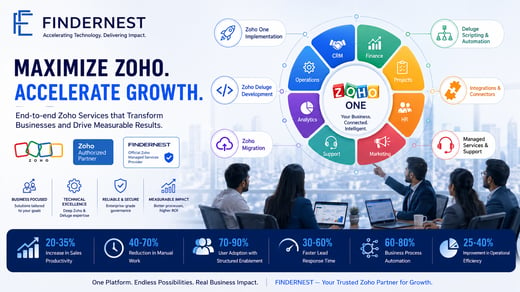 Intelligent Automation • 1 July, 2026 11:04:12 PM IST Zoho Implementation, Deluge & Managed Services | FindErnest 3 min read](https://www.findernest.com/en/blog/zoho-implementation-deluge-managed-services-findernest)
##### [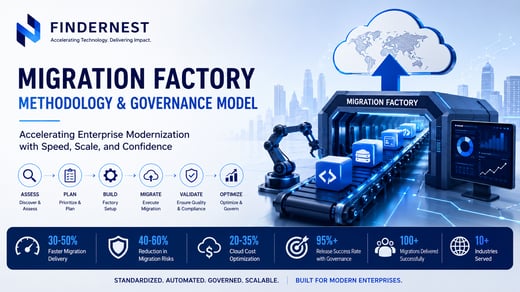 Intelligent Automation • 1 July, 2026 7:57:31 PM IST Enterprise Migration Factory: Governance, Automation & Best Practices 4 min read](https://www.findernest.com/en/blog/enterprise-migration-factory-governance-automation-best-practices)
## Comments
###### Categories
- [Technology](https://www.findernest.com/en/blog/tag/technology)
- [Business Intelligence](https://www.findernest.com/en/blog/tag/business-intelligence)
- [Operations](https://www.findernest.com/en/blog/tag/operations)
- [Business Consulting](https://www.findernest.com/en/blog/tag/business-consulting)
- [Managed Services](https://www.findernest.com/en/blog/tag/managed-services)
- [Innovation](https://www.findernest.com/en/blog/tag/innovation)
- [Intelligent Automation](https://www.findernest.com/en/blog/tag/intelligent-automation)
- [Solution Architecture](https://www.findernest.com/en/blog/tag/solution-architecture)
- [Software Development](https://www.findernest.com/en/blog/tag/software-development)
- [AI (Artificial Intelligence)](https://www.findernest.com/en/blog/tag/ai-artificial-intelligence)
- [Implementation](https://www.findernest.com/en/blog/tag/implementation)
- [Engineering as a Service](https://www.findernest.com/en/blog/tag/engineering-as-a-service)
- [Governance](https://www.findernest.com/en/blog/tag/governance)
- [Application Development](https://www.findernest.com/en/blog/tag/application-development)
- [Configuration](https://www.findernest.com/en/blog/tag/configuration)
- [DevOps](https://www.findernest.com/en/blog/tag/devops)
- [Generative AI](https://www.findernest.com/en/blog/tag/generative-ai)
- [Outsourcing](https://www.findernest.com/en/blog/tag/outsourcing)
- [Framework](https://www.findernest.com/en/blog/tag/framework)
- [Digital Transformation](https://www.findernest.com/en/blog/tag/digital-transformation)
###### Recent Posts
- [FindErnest Vision 2030: Leading AI-First Transformation and Innovation](https://www.findernest.com/en/blog/findernest-vision-2030-leading-ai-first-transformation-and-innovation)
- [Microsoft Security Services: XDR, Sentinel & Zero Trust by FindErnest](https://www.findernest.com/en/blog/microsoft-security-services-xdr-sentinel-zero-trust-by-findernest)
- [Zoho Implementation, Deluge & Managed Services | FindErnest](https://www.findernest.com/en/blog/zoho-implementation-deluge-managed-services-findernest)
- [Enterprise Migration Factory: Governance, Automation & Best Practices](https://www.findernest.com/en/blog/enterprise-migration-factory-governance-automation-best-practices)
- [GCC Readiness Assessment | Global Capability Center | FindErnest](https://www.findernest.com/en/blog/gcc-readiness-assessment-global-capability-center-findernest)
- [n8n Workflow Automation Services | AI Business Automation | FindErnest](https://www.findernest.com/en/blog/n8n-workflow-automation-enterprise-ai-findernest)
- [AI-Forward Development: Transforming Enterprises for the Future](https://www.findernest.com/en/blog/ai-forward-development-transforming-enterprises-for-the-future)
- [AI-Powered Social Research: Transforming Conversations into Growth](https://www.findernest.com/en/blog/ai-powered-social-research-transforming-conversations-into-growth)
- [Context Engineering: The Next Frontier in Enterprise AI Transformation](https://www.findernest.com/en/blog/context-engineering-the-next-frontier-in-enterprise-ai-transformation)
- [Cybersecurity & Identity Solutions: Building Secure Digital Enterprise](https://www.findernest.com/en/blog/cybersecurity-identity-solutions-building-secure-digital-enterprise)
- [ERP & Enterprise Applications: Key Drivers of Modern Business Growth](https://www.findernest.com/en/blog/erp-enterprise-applications-key-drivers-of-modern-business-growth)
- [End-to-End Product Development for Digital-First Enterprises](https://www.findernest.com/en/blog/end-to-end-product-development-for-digital-first-enterprises)
- [Platform Engineering Services: Boosting Productivity and Innovation](https://www.findernest.com/en/blog/platform-engineering-services-boosting-productivity-and-innovation)
- [Why Modern Enterprises Need End-to-End Digital Transformation Services](https://www.findernest.com/en/blog/why-modern-enterprises-need-end-to-end-digital-transformation-services)
- [Top Benefits of Using HubSpot CMS for Your Business](https://www.findernest.com/en/blog/top-benefits-of-using-hubspot-cms-for-your-business)
[](https://www.findernest.com)
## Enterprise Transformation Powered by Expertise, Excellence & Execution
Have a question? Feel free to reach out to info@findernest.com / +917207788004
-
-
-
-
-
-
- Solutions
- [Digital Transformation](https://www.findernest.com/digital-transformation-solutions)
- [AI & Intelligent Automation](https://www.findernest.com/ai)
- [Platform/Product Engineering](https://www.findernest.com/product-development-platform-engineering-services)
- [Business Consulting](https://www.findernest.com/business-consulting-services)
- [Cloud Transformation](https://www.findernest.com/cloud)
- [Data & Analytics](https://www.findernest.com/data)
- [Managed IT Services](https://www.findernest.com/managed-it-services-support)
- [Talent Solutions](https://www.findernest.com/talent-solutions)
- [Partnerships](https://www.findernest.com/platforms)
- [AWS](https://www.findernest.com/aws)
- [Oracle](https://www.findernest.com/oracle)
- [Microsoft](https://www.findernest.com/microsoft)
- [Zoho](https://www.findernest.com/zoho)
- [SAP](https://www.findernest.com/sap)
- [Databricks](https://www.findernest.com/databricks)
- [Hubspot](https://www.findernest.com/hubspot)
- [Salesforce](https://www.findernest.com/salesforce)
- [Service Now](https://www.findernest.com/servicenow)
- [About us](https://www.findernest.com/about)
- [Who we are](https://www.findernest.com/about)
- [How we Engage](https://www.findernest.com/how-we-work)
- [Careers](https://findernest.zohorecruit.in/jobs/Careers)
- [Blog & Insights](https://www.findernest.com/en/blog)
- [Sustainability](https://www.findernest.com/sustainability)
- [Community Guidelines](https://www.findernest.com/policy)
- [Privacy Policy](https://www.findernest.com/privacy)
- [Terms & Conditions](https://www.findernest.com/terms)
© 2026 FindErnest, Inc. All rights reserved. [Privacy Policy](https://www.findernest.com/privacy) | [Acceptable Use Policy](https://www.findernest.com/policy) | [Terms and Conditions](https://www.findernest.com/terms)
```json
{
"@context" : "https://schema.org",
"@type" : "BlogPosting",
"author" : {
"@type" : "Person",
"name" : "Praveen Gundala",
"url" : "https://www.findernest.com/en/blog/author/praveen-gundala"
},
"dateModified" : "2026-05-19T10:23:26.851Z",
"datePublished" : "2026-05-15T22:03:06.000Z",
"headline" : "Transforming Business with Microsoft Dynamics CRM: Comprehensive Guide",
"image" : [ "https://www.findernest.com/hubfs/Transforming%20Business%20with%20Microsoft%20Dynamics%20CRM%20FindErnest%20Comprehensive%20Guide.png" ],
"mainEntityOfPage" : {
"@id" : "https://www.findernest.com/en/blog/transforming-business-with-microsoft-dynamics-crm-comprehensive-guide",
"@type" : "WebPage"
},
"publisher" : {
"@type" : "Organization",
"logo" : {
"@type" : "ImageObject",
"url" : "https://www.findernest.com/hubfs/FINDERNEST%20LOGO.png"
},
"name" : "FindErnest"
}
}
```
```json
{
"@context" : "https://schema.org",
"@id" : "https://findernest.com/#organization",
"@type" : [ "Organization", "ProfessionalService" ],
"alternateName" : "FindErnest Software Services",
"areaServed" : [ {
"@type" : "Country",
"name" : "India"
}, {
"@type" : "Country",
"name" : "United States"
}, {
"@type" : "Country",
"name" : "United Kingdom"
}, {
"@type" : "Country",
"name" : "Canada"
}, {
"@type" : "Country",
"name" : "Australia"
}, {
"@type" : "Country",
"name" : "Singapore"
}, {
"@type" : "Country",
"name" : "United Arab Emirates"
}, {
"@type" : "Country",
"name" : "Saudi Arabia"
}, {
"@type" : "Country",
"name" : "Qatar"
}, {
"@type" : "Country",
"name" : "Kuwait"
}, {
"@type" : "Country",
"name" : "Bahrain"
}, {
"@type" : "Country",
"name" : "Oman"
}, {
"@type" : "Country",
"name" : "Germany"
}, {
"@type" : "Country",
"name" : "France"
}, {
"@type" : "Country",
"name" : "Netherlands"
}, {
"@type" : "Country",
"name" : "Belgium"
}, {
"@type" : "Country",
"name" : "Switzerland"
}, {
"@type" : "Country",
"name" : "Sweden"
}, {
"@type" : "Country",
"name" : "Denmark"
}, {
"@type" : "Country",
"name" : "Norway"
}, {
"@type" : "Country",
"name" : "Ireland"
} ],
"description" : "FindErnest is a Technology, Talent and Transformation Partner helping enterprises accelerate growth through Product Engineering, Platform Engineering, Managed Services, AI Solutions, Digital Transformation, Workforce Solutions, and Enterprise Platform Services.",
"email" : "info@findernest.com",
"foundingDate" : "2022",
"hasOfferCatalog" : {
"@type" : "OfferCatalog",
"itemListElement" : [ {
"@type" : "OfferCatalog",
"name" : "Cloud Platforms"
}, {
"@type" : "OfferCatalog",
"name" : "Enterprise Applications"
}, {
"@type" : "OfferCatalog",
"name" : "CRM & Customer Experience Platforms"
}, {
"@type" : "OfferCatalog",
"name" : "Identity & Security Platforms"
}, {
"@type" : "OfferCatalog",
"name" : "IT Operations & Managed Services Platforms"
}, {
"@type" : "OfferCatalog",
"name" : "Product Engineering"
}, {
"@type" : "OfferCatalog",
"name" : "Platform Engineering"
}, {
"@type" : "OfferCatalog",
"name" : "Talent Solutions"
}, {
"@type" : "OfferCatalog",
"name" : "Contingent Workforce Solutions"
}, {
"@type" : "OfferCatalog",
"name" : "Business Consulting & Outsourcing"
}, {
"@type" : "OfferCatalog",
"name" : "AI & Data Platforms"
} ],
"name" : "FindErnest Platform Solutions"
},
"image" : "https://findernest.com/assets/images/findernest-logo.png",
"knowsAbout" : [ "Artificial Intelligence", "Generative AI", "AI Development", "Product Engineering", "Platform Engineering", "Digital Transformation", "Managed Services", "Technology Consulting", "Cloud Migration", "Cloud Modernization", "Talent Solutions", "Workforce Transformation", "Identity and Access Management", "Automation", "Business Process Optimization", "Customer Experience Platforms", "Enterprise Applications", "AWS", "SAP", "Oracle", "Microsoft", "Google Cloud", "Zoho", "Databricks", "ServiceNow", "Workday", "OutSystems", "miniOrange", "HubSpot", "SuperOps", "Salesforce", "Spin.AI", "Pega" ],
"logo" : "https://findernest.com/assets/images/findernest-logo.png",
"name" : "FindErnest",
"sameAs" : [ "https://www.linkedin.com/company/findernest", "https://www.instagram.com/teamfindernest", "https://www.facebook.com/teamfindernest" ],
"telephone" : "+91-7207788004",
"url" : "https://findernest.com"
}
```